The 6 Best Video Translator Tools for Global Audiences in 2026
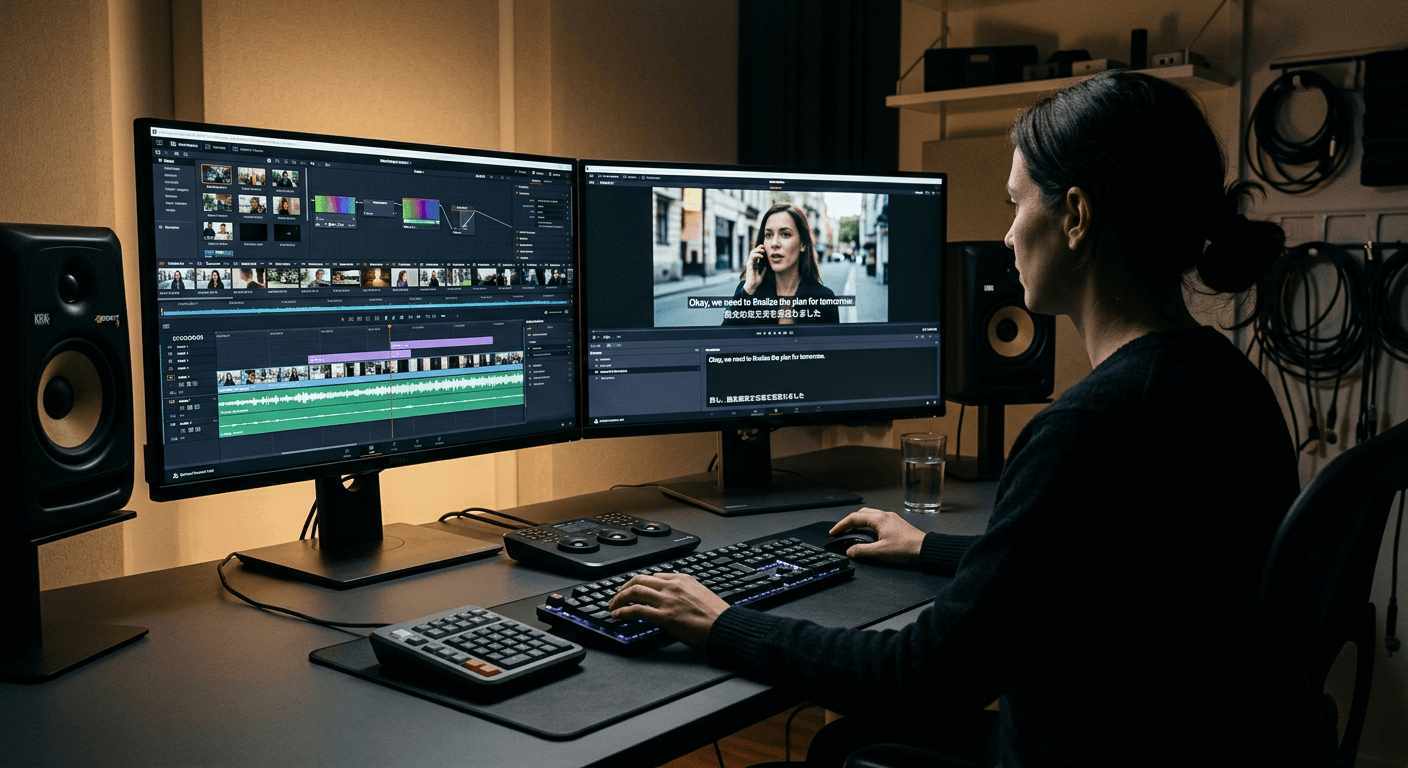
You have just spent three weeks producing a flagship campaign asset. You upload the final export into a video translator platform, select Spanish, and hit process. Five minutes later, the file comes back with a synthetic voiceover that ignores all punctuation, flattens the emotional crescendo of the narrative, and stretches the audio track awkwardly to accommodate the naturally longer Spanish sentence structure. Translating video is a fundamentally different mechanical process than translating text, and assuming a one-to-one conversion usually breaks the final product. Getting it right means selecting the appropriate technical workflow for the specific constraints of the target language.
Quick Summary
A video translator processes multimedia files to extract, translate, and replace the original spoken audio or text with a target language. The market is currently split between AI-driven platforms generating synthetic dubbed audio and transcription services relying on human linguists to supply highly accurate, context-aware subtitles.
- AI dubbing platforms clone the original speaker's vocal characteristics to create seamless audio replacements.
- Pay-as-you-go pricing models suit teams with irregular publishing schedules and fluctuating media volumes.
- Human-verified subtitling handles nuanced dialects and technical jargon significantly better than algorithmic processing.
- Free tiers across the industry consistently restrict video length and mandate visible watermarks.
Table of Contents
- How to Choose a Video Translator
- 1. ElevenLabs
- 2. Rask AI
- 3. HeyGen
- 4. Maestra AI
- 5. Rev
- 6. Kapwing
- Matching the Workflow to the Platform
- Recommended Reads
| Product | Translation Method | Features | Pros | Cons | Target Audience |
|---|---|---|---|---|---|
| ElevenLabs | AI Voice Cloning | Vocal timbre mapping, synthetic replacement | 10k free credits, annual discounts, seamless tracking | Credit heavy, strict non-commercial rules, watermarked dubs | Developers and professional production teams |
| Rask AI | AI Voice Cloning | Unified extraction interface, 135+ languages | Centralised sync, broad language support, robust interface | 3-minute free trial, steep paid tiers, short trial limits | Channel managers and global creators |
| HeyGen | AI Voice Cloning | Visual avatar syncing, 175+ languages | Removes watermarks, synced avatars, visual consistency | One-minute limits, restricted output count, complex interface | Marketing departments |
| Maestra AI | Automated Auto-Subtitling | Natural language processing, multi-format export | Flexible pay-as-you-go billing, standard formats, fast processing | Restricted cloning dialects, lacks enterprise caps, niche limitations | Researchers and corporate educators |
| Rev | Human-Verified Transcription | Human linguist oversight, AI baseline testing | Guaranteed technical accuracy, free English captions, risk mitigation | High per-minute costs, slower turnaround, difficult to scale | Legal and medical professionals |
| Kapwing | Automated Auto-Subtitling | Timeline integration, 6GB upload handling | Unified workspace, timeline syncing, bulk handling | Bandwidth intensive, strict credit caps, local cache demands | Distributed post-production teams |
How to Choose a Video Translator
When evaluating tools to translate video to english or other regional dialects, the structural differences between platforms always trace back to their underlying Translation Method. Understanding these categories is critical before committing to a monthly subscription or uploading sensitive company assets to a third-party server.
- AI Voice Cloning: The software maps the original speaker's vocal tone and generates a synthetic audio track in the target language. This method entirely replaces the original audio track, creating a seamless viewing experience that feels native to the target audience.
- Automated Auto-Subtitling: The platform transcribes the spoken audio, translates the text algorithmically, and provides subtitle files. The original audio remains untouched, preserving the emotional delivery while offering visual text for global viewers.
- Human-Verified Transcription: The system pairs initial machine generation with professional linguists who manually adjust phrasing, context, and colloquialisms. This ensures absolute technical accuracy for high-stakes environments where algorithmic assumptions present a legal risk, much like the dynamic needed when transitioning from pre-recorded content to live interpreting sessions via the Lingua Franca Hub platform.
1. ElevenLabs
Commercial scalability requires significant budget commitments
The software ingests an audio file, separates the spoken voice from background noise, maps the original vocal timbre, and synthesises a new audio track matching the translated text. ElevenLabs functions as an AI Voice Cloning platform built primarily for developers and production teams requiring high-fidelity synthetic voices. Rather than simply overlaying a generic text-to-speech output, the system evaluates the pitch and cadence of the source file to produce a natural-sounding replacement in a foreign dialect. It is not for casual use.
According to its published pricing, the Free plan provides 10,000 credits per month for non-commercial use with required attribution. If you move into professional production, the platform has six public pricing tiers starting from a free plan up to $990 per month. Processing times and costs vary depending on the chosen pipeline, but automatic dubbing with a watermark consumes approximately 2,000 credits per minute of processed audio. Teams planning long-term localisation strategies should note that annual billing reduces every paid plan by approximately 17%, working out to two months free over the course of a year.
We would hold off on deploying this for internal company memos where budget is tight, as the credit consumption for long-form video scales rapidly and requires active pipeline management to avoid cost overruns. The strict attribution requirement and non-commercial mandate on the free tier restrict its utility for early-stage agencies attempting to test client deliverables before upgrading. It essentially forces commercial users into paid tiers immediately if they intend to monetise the localised content.
Choose this when audio fidelity and exact vocal matching are critical to the production value of the final asset.
Pros
- Maps original vocal timbre accurately.
- Provides 10,000 free credits monthly.
- Annual billing offers structural discounts.
Cons
- Non-commercial mandate on free usage.
- Long-form dubbing consumes credits rapidly.
- Watermarks applied to automatic dubbing.
2. Rask AI
Deep language support suits broad localisation strategies
A sudden spike in international viewership often leaves channel managers scrambling to localise existing back-catalogues rapidly without a dedicated sound engineering team on standby. Rask AI acts as a dedicated localisation hub tailored for content creators operating across diverse geographic markets. This platform belongs to the AI Voice Cloning category, operating by analysing uploaded video files, transcribing the existing dialogue, and generating cloned voiceovers that attempt to match the original speaker's emotional delivery. It streamlines the typically fragmented process of extracting audio, translating text, and re-syncing synthetic voices by containing every step within a single interface.
Testing the environment is restricted out of the gate, as the platform offers a one-time free trial that provides just 3 minutes of video dubbing. For ongoing production, the Creator plan starts at $60 per month and includes 25 minutes of dubbing per month. The gap between basic and enterprise usage is significant; the Business plan is priced at $750 per month and includes 500 minutes of dubbing per month. Functionally, Rask AI supports video translation into over 135 languages, with voice cloning available in 32 of them.
What would make us hesitate is the steep price jump between the entry-level Creator plan and the enterprise-grade Business tier, which leaves mid-sized teams in an awkward financial middle ground. The rigid three-minute cap on the initial free trial forces production teams to evaluate the platform using heavily truncated clips rather than full-length episodes, making it difficult to assess how the algorithm handles long-form narrative pacing. This limits thorough testing.
Upgrade to this platform when your distribution strategy requires rapid deployment across a dozen or more distinct linguistic regions simultaneously.
Pros
- Supports over 135 target languages.
- Centralises audio extraction and syncing.
- Voice cloning covers 32 dialects.
Cons
- Free trial restricted to three minutes.
- Steep financial jump to enterprise tier.
- Short trials prevent narrative testing.
3. HeyGen
Visual avatar integration dominates the feature set
According to its published plan comparison, a free account restricts users to just three videos per month, with each file capped at a maximum length of one minute. This heygen ai video translator is built for marketing departments that want to generate entirely synthetic presenters alongside translating existing footage. Operating within the AI Voice Cloning category, the software goes beyond simple audio replacement by matching the translated synthetic voice track to a visually generated avatar, ensuring lip movements correspond precisely with the new target language. It removes manual syncing entirely.
Stepping up to professional usage, the Creator plan is priced at $29 per month and offers features such as watermark removal and voice cloning. For larger departments managing multiple localisation streams, HeyGen's Business plan starts at $149 per month, allowing teams to add workspace members for $20 per seat per month. Once integrated, video translation on the platform supports over 175 languages and dialects, ensuring broad coverage for global marketing pushes.
We would look elsewhere if the primary goal is simply subtitling documentary footage, as the heavy emphasis on avatar generation introduces unnecessary complexity for simple audio swaps. The one-minute restriction on free exports makes it structurally impossible to use the unpaid tier as a functional video translator free solution for standard youtube video translator workflows or extended company presentations. Teams cannot test a realistic corporate update without triggering a paywall.
Invest in this architecture when your workflow requires generating new localised visual content rather than just dubbing pre-existing raw footage.
Pros
- Generates visually synced presenter avatars.
- Supports 175 languages and dialects.
- Creator plan removes visible watermarks.
Cons
- Free tier capped at one-minute limits.
- Restricts users to three monthly videos.
- Avatar generation overcomplicates basic subtitling.
4. Maestra AI
Pay-as-you-go billing prevents wasted subscriptions
The previous platform focused heavily on visual avatar generation. Here, avatars take a back seat. Maestra AI prioritises flexible text extraction instead. It delivers highly accurate written subtitle generation. Operating within the Automated Auto-Subtitling category, the platform targets researchers, educators, and corporate communicators. These professionals need transcriptions generated rapidly across multiple standardised file formats. The software listens to the uploaded media. It utilises natural language processing to identify conversational phrasing. Finally, it outputs synchronised text blocks that match the spoken timing perfectly.
Budgeting on this system is direct. The platform offers a pay-as-you-go pricing tier at $12 per 60 credits, with one credit corresponding to one minute of audio or video processed. If you prioritise written text over audio replacement, Maestra AI's Lite subscription plan for transcription starts at $23 per month when billed annually. For media integration, subtitled and translated video files can be exported in formats including SRT, VTT, TXT, and DOCX. Additionally, voice cloning features are available in 29 languages for dubbing and voiceover projects.
Practical rule: Always export your finalised subtitles in standard text formats like SRT or VTT before burning them permanently into a video file, preserving your ability to edit typos later without re-rendering.
The pay-as-you-go model suits teams producing quarterly training materials rather than daily social media posts. It completely avoids the trap of paying for unused monthly subscription allocations. However, automated voice cloning caps out at 29 languages. This creates a hard barrier. Organisations cannot easily dub audio into less widely spoken regional dialects. Teams targeting specific, localised markets outside that core list face a stark reality. They will find the audio replacement features entirely unusable.
Adopt this tool when your publication schedule is highly erratic and monthly subscription fees would otherwise go largely unused.
Pros
- Flexible pay-as-you-go credit billing.
- Exports across multiple standard formats.
- Transcribes accurately using natural processing.
Cons
- Voice cloning restricted to 29 languages.
- Pay-as-you-go lacks unlimited enterprise caps.
- Unusable for niche regional dialects.
5. Rev
Human verification guarantees technical accuracy
Will a native speaker actually understand this highly specific, industry-standard technical terminology? Rev is positioned firmly in the Human-Verified Transcription space, offering a hybrid approach that pairs initial machine generation with professional linguist oversight to catch the nuances that algorithms inevitably miss. The workflow involves routing the uploaded file through an initial ai video translator transcription engine before passing it to a global network of vetted human translators who manually correct grammatical syntax, cultural colloquialisms, and pacing issues before delivering the final text file. Accuracy comes at a premium.
The subscription Free plan allows ordering up to 45 minutes of automated AI transcription per month to test the baseline engine. From there, automated captioning on the platform is priced at $0.25 per audio minute. If you require absolute accuracy, human-verified global translated subtitles are priced between $6.49 and $15.99 per video minute depending on the target language ordered. Notably, if you order global subtitles, English captions are provided for free unless you upload your own SRT file.
Practical rule: Always evaluate the cost of manual transcription against the legal liability of algorithmic failure in your specific industry, not just against the marketing budget.
We would rely on this service specifically for legal or medical training videos, where a mistranslated technical term creates an active liability for the business and fully automated platforms are too risky. The per-minute pricing structure for human verification scales aggressively, making it cost-prohibitive for creators churning out hours of casual gaming or lifestyle content weekly. Relying entirely on manual oversight fundamentally eliminates the ability to scale localisation efforts cheaply across large volumes of low-margin media.
Secure this service when the risk of publishing an inaccurate algorithmic translation outweighs the higher cost of manual human oversight.
Pros
- Human linguists ensure technical accuracy.
- English captions included with global orders.
- Free plan allows AI baseline testing.
Cons
- Per-minute pricing scales aggressively.
- Cost-prohibitive for high-volume content.
- Slower turnaround than algorithmic processing.
6. Kapwing
Browser-based editing streamlines collaborative revisions
Editing timelines and localisation pipelines usually require switching between discrete desktop applications, creating massive file management headaches for post-production staff. This application functions as an Automated Auto-Subtitling tool embedded directly inside a comprehensive cloud-based non-linear video editor. Instead of requiring users to export a finalised cut, upload it to a separate video language translator service, and re-import the resulting subtitle file, the system automatically translates the audio track on the actual timeline. This eliminates export loops.
The platform's auto-subtitle translator tool supports translating video content into over 100 languages. Accessing the workspace requires a subscription, where the Pro plan is priced at $16 per member per month when billed annually, or $24 per member per month when billed monthly. Kapwing's Pro plan allows users to upload files up to 6GB in size and export videos up to 120 minutes long. Upgrading to the Business plan provides 4,000 AI credits per month instead of the 1,000 credits allocated on the Pro plan.
We would actively recommend this infrastructure for distributed marketing teams, as the ability to adjust translated text directly on the shared editing timeline prevents version control issues entirely. The reliance on a browser-based architecture means performance is inextricably tied to the user's internet connection speed, penalising editors working with heavy 4K files in low-bandwidth environments. It forces production staff to manage local cache carefully to prevent browser crashes during extensive localisation passes.
Roll this out when your team requires a unified workspace that handles both the raw video cutting and the final text translation simultaneously.
Pros
- Integrates translation into editing timelines.
- Handles bulk 6GB file uploads.
- Translates across over 100 languages.
Cons
- Browser architecture demands high bandwidth.
- Pro plan restricts AI credit usage.
- Local cache management becomes mandatory.
Matching the Workflow to the Platform
Deploying a translation tool successfully requires aligning your internal production bottlenecks with the correct architectural framework.
AI Voice Cloning fits marketing departments that prioritise the visual and auditory illusion of native content. By replacing the original track entirely, these systems remove the cognitive load of reading subtitles, making them ideal for social media feeds where attention spans are measured in milliseconds. However, they introduce significant rendering complexities and often struggle with narrative pacing.
Automated Auto-Subtitling handles the heavy lifting for distributed editing teams and corporate educators. When you simply need a cost-effective way to distribute internal training materials or documentary footage across a dozen regional offices, burning translated text over the original audio is vastly more efficient than generating synthetic voices from scratch.
Human-Verified Transcription remains the only viable option for regulated industries. If a technical term is mistranslated in a medical device tutorial or a legal briefing, the resulting liability far outweighs the initial savings of a fully automated workflow. Relying on verified linguists ensures that nuanced industry jargon is communicated safely and accurately, protecting the business from costly operational mistakes.