How to Use Translation Earbuds for Live Audio in 2026
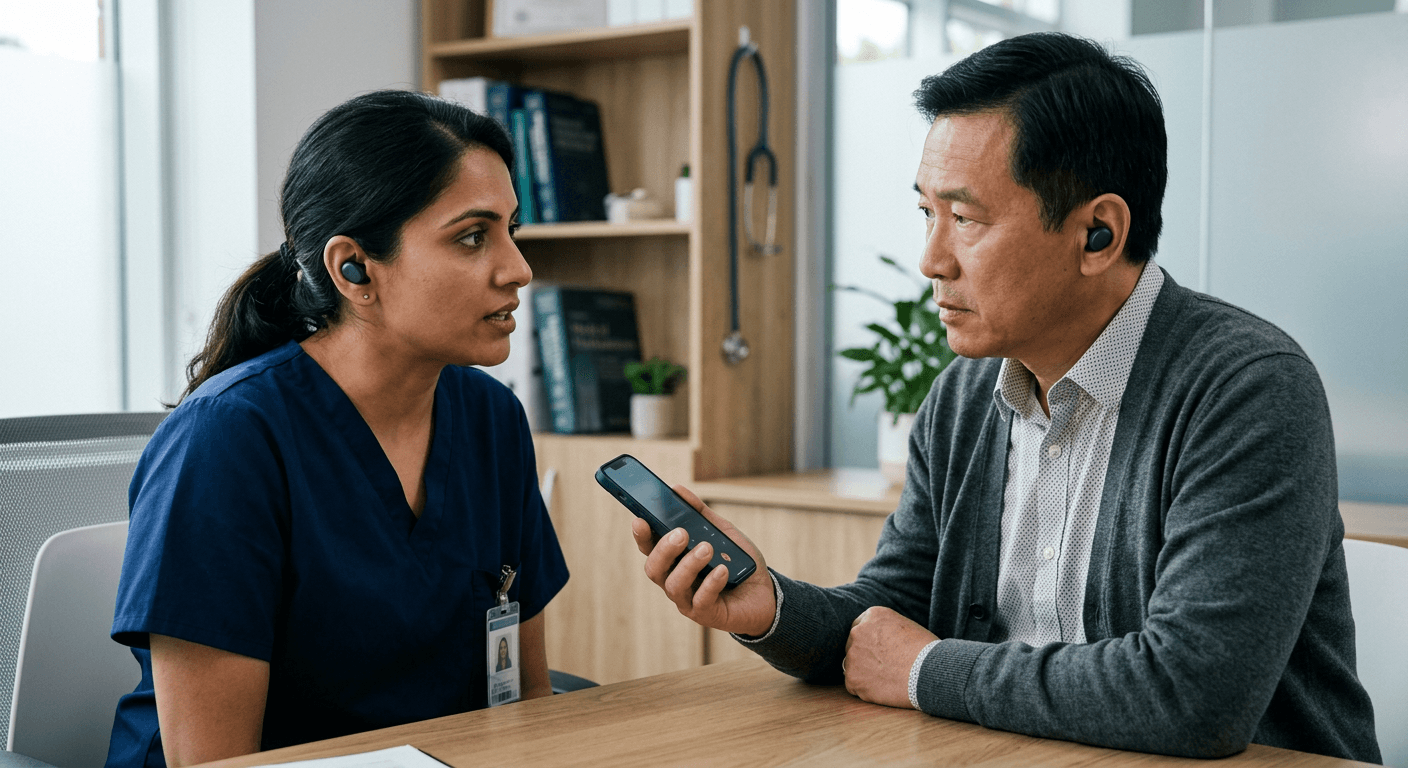
Imagine sitting in a high-stakes commercial negotiation in Tokyo, where you place a device in your ear expecting it to seamlessly translate the counterpart's demands. The delay between their speech ending and your device outputting English stretches into a painful silence, followed by a garbled sentence that makes no financial sense. This is the reality of using translation earbuds when the mechanics of live audio processing are misunderstood. While modern hardware captures pristine audio, the software pipeline that converts spoken word to text, translates it, and synthesises it back into speech remains highly vulnerable to network latency and acoustic interference. This guide details exactly how to configure, position, and operate live translation hardware to maintain a fluid conversation, and identifies the hard limits where algorithmic translation must be abandoned for verified human expertise.
Quick Summary
Live audio translation relies on a continuous loop of voice activity detection, cloud-based processing, and synthesised playback. Operating translation hardware successfully requires treating the devices as passive microphones for your smartphone's processing engine, managing network packet latency, and controlling conversational pacing to avoid software failure.
- Lock translation engines to manual language selection to prevent auto-detect loops.
- Prioritise dedicated cellular data over public Wi-Fi to reduce round-trip processing latency.
- Force earphone hardware into transparency modes to prevent active noise cancellation from clipping speech.
- Switch to professional human interpreters for high-stakes medical, legal, or emergency scenarios.
Table of Contents
- 1. Supplying translation earbuds with stable data
- 2. Configuring software routing for uninterrupted processing
- 3. Adapting commercial hardware for bilingual dialogue
- 4. Managing physical positioning and acoustic etiquette
- Where algorithmic interpretation becomes a liability
- Common Pitfalls & Troubleshooting
- FAQ
- Recommended Reads
1. Supplying translation earbuds with stable data
Public Wi-Fi destroys continuous audio packets
People routinely assume that an earphone language translator conducts the heavy computational work inside the physical earpiece. It does not. The earbud is merely a Bluetooth microphone and speaker combination. The actual translation happens on your smartphone or, far more frequently, on a cloud server processing the raw audio feed in real time. Because of this structural reality, your network connection dictates your success entirely. When you learn how to use live translation effectively, you are largely learning how to manage data packets.
If you rely on a congested airport Wi-Fi network or a throttled international roaming connection, the audio packets queue up in the transmission pipeline. This manifests as a severe, unnatural delay between the other person finishing their sentence and the translated audio playing in your ear. The natural back-and-forth rhythm of a conversation immediately collapses, leading both parties to speak over one another in frustration.
The primary mistake users make at this stage is trusting their smartphone's automatic network switching. A device continuously hunting for weak public Wi-Fi networks will drop the translation stream entirely during handovers. You must prevent this. Disable Wi-Fi entirely during critical conversations. Force the device to use a stable 4G or 5G cellular connection. If you are travelling internationally, secure a local data eSIM before you attempt to use any live translation applications. This ensures the cloud processing engine has an uninterrupted, low-latency path to return the translated audio to your ear.
2. Configuring software routing for uninterrupted processing
Background memory suspension will terminate your stream
Modern mobile operating systems are programmed to aggressively manage battery life. They achieve this by suspending background applications. Once a stable data connection is established, the smartphone’s operating system must be explicitly configured to prioritise the translation application over other processes. If you initiate a conversation, you might lock your phone screen to maintain eye contact with the person you are speaking to. The operating system will often throttle the microphone access. It may suspend the translation processing loop entirely within thirty seconds.
To maintain a continuous dialogue, you must configure the companion device's display and battery settings before the conversation begins. Set the screen timeout to its maximum duration and grant the translation application unrestricted battery usage and persistent microphone permissions within the system settings.
The most frequent operational mistake at this software layer is leaving the application set to 'automatic language detection'. This feature is highly impressive in quiet, controlled environments. However, auto-detect algorithms struggle severely in noisy public spaces. Ambient voices in a third language bleed into the microphone array. The software will constantly attempt to switch source languages mid-sentence. This results in broken, unintelligible output. You must manually lock both the source and target languages in the application interface. Do this before the other person begins speaking. This ensures the voice activity detection remains focused on a single linguistic model.
3. Adapting commercial hardware for bilingual dialogue
Active noise cancellation suppresses foreign speech
Users frequently attempt to repurpose their standard wireless audio equipment for live translation tasks without understanding the distinct acoustic limitations involved. When attempting airpods pro translation techniques or using similar premium consumer hardware, you must recognise that the device is fundamentally tuned for media consumption and isolation, not for conversational acoustic throughput.
Premium commercial ecosystems integrate live translation airpods capabilities through specific accessibility routing, but the hardware defaults work against the user. The active noise cancellation (ANC) algorithms are designed to isolate the wearer. Consequently, they often interpret a foreign speaker standing a metre away as environmental background noise. The onboard processor actively suppresses the frequencies of their voice before the audio ever reaches the software's translation engine.
To capture incoming speech accurately, you must force language translation earbuds into their ambient or transparency mode. This critical configuration allows the external microphones to pass vocal frequencies through to the processing unit without algorithmic suppression. The mistake almost everyone makes is leaving the earbuds in adaptive or noise-cancelling modes, which causes the first syllable of every sentence the foreign speaker says to be clipped. Clipping destroys the grammatical context the translation engine needs to form an accurate, coherent sentence in your language.
4. Managing physical positioning and acoustic etiquette
Splitting hardware confuses directional beamforming
The physical mechanics of managing a translated conversation require specific positioning to ensure the microphones isolate the correct voice. The immediate natural instinct when using a two-piece wireless earbud set is to offer one of the earbuds to the person you are attempting to speak with. This is a severe operational and social mistake.
Handing a stranger a piece of personal hardware that goes inside their ear canal is socially awkward, unhygienic, and practically ineffective if their ear shape does not securely match the device. Furthermore, dividing the hardware between two people physically splits the synchronized microphone array, which completely confuses the directional beamforming algorithms that commercial earbuds use to isolate primary speech from background noise.
Instead, you must leave both earbuds securely in your own ears to receive the translated audio, and hold your smartphone out between yourself and the speaker like a directional microphone. The smartphone screen provides crucial visual text reinforcement of what is being spoken, while its primary bottom microphone captures their voice far more reliably than a single earbud catching room echoes.
Practical rule: Never hand a personal earbud to a stranger; keep both devices in your own ears and use your smartphone's primary lower microphone to capture their speech, utilising the phone's speaker to play your translated replies.
Where algorithmic interpretation becomes a liability
Machine learning translation is a probabilistic engine. It does not understand meaning; it mathematically predicts the next most likely word based on vast sets of training data. In routine interactions like ordering a meal, checking into a hotel, or asking for basic transit directions, this probabilistic guessing is highly effective. The stakes are incredibly low, and situational context makes up for any grammatical errors the algorithm produces.
However, when the conversation shifts to high-stakes environments - consulting a specialist doctor, negotiating a binding commercial contract, or navigating a police interaction - relying on an algorithmic translation device is actively dangerous. Automated translation logic struggles heavily with domain-specific terminology, rapid cultural idioms, and the emotional nuance required to de-escalate a tense situation. A minor computational hallucination in a medical context, where a complex symptom is translated simply as 'discomfort', fundamentally alters the outcome of the interaction and endangers the user.
When linguistic precision is non-negotiable, you must abandon automated software and route your communication through global human interpreting platforms instead. A secure service connects you instantly to credentialed professional interpreters for medical and legal scenarios, or skilled bilingual language buddies for complex cultural navigation. A live human understands the cultural subtext, asks clarifying questions to correct misunderstandings in real time, and provides a layer of accountability that a silicon processor simply cannot offer.
Common Pitfalls & Troubleshooting
Even with optimal hardware configurations and pristine network conditions, live audio translation systems fail in predictable ways. Recognising the specific acoustic symptom allows you to apply the correct technical fix immediately, rather than abandoning the conversation.
-
The translation loops or repeats the same phrase indefinitely. This is by far the most common failure mode and is caused by the translation application's text-to-speech output being picked up by its own listening microphone. The software translates the phrase, plays it out loud, hears itself through the ambient microphone, and attempts to translate it again. Fix: Immediately lower the volume of your device's external speaker or switch the output routing explicitly to your earpieces so the microphone array cannot hear the playback.
-
The application stops processing mid-sentence and returns no audio. This symptom indicates a Voice Activity Detection (VAD) timeout. The software incorrectly assumes the speaker has finished their thought because they paused slightly to breathe, cutting off the recording and attempting to translate an incomplete sentence. Fix: Switch the application from 'continuous listening' mode to 'push-to-talk' mode, forcing you to manually hold the digital record button down while the other person is speaking.
-
The output audio translates background noise into random, nonsensical words. This occurs when directional beamforming fails in a highly reverberant room, such as a train station or hospital lobby. The microphone array struggles to differentiate between the primary speaker and a loud conversation happening ten metres away. Fix: Physically move the smartphone microphone to within six inches of the speaker's mouth, and angle your body to block ambient acoustic noise from the immediate environment.
-
The hardware disconnects entirely when the phone screen turns off. As outlined in the software routing step, this is an aggressive memory management protocol triggered by the phone's operating system to save battery. Fix: Navigate to the system device settings and disable background app refresh restrictions for the specific translation tool, or simply keep the screen unlocked and active in your hand.
FAQ
Do translation devices work entirely offline without a cellular connection?
Some premium applications allow you to download offline language packs directly to your smartphone's local storage. However, natural language processing requires immense computational power, meaning offline models use heavily simplified, less accurate algorithms compared to cloud-based engines. Expect functional translations for basic nouns and verbs, but severe degradation when attempting complex sentence structures.
How much battery does continuous live audio translation consume?
Running a continuous audio feed, maintaining a persistent Bluetooth connection, and keeping the screen active will deplete a standard smartphone battery heavily. Users should expect a depletion rate of roughly fifteen to twenty percent per hour during active, continuous duplex translation.
Can standard wireless earphones function as language translators?
Yes, any standard Bluetooth earphone can function as a translator if paired with a capable smartphone application. The distinct advantage of dedicated translation hardware is usually just optimized microphone placement or a dedicated physical button to trigger the listening mode, rather than superior internal processing.
Why does the translation sometimes output the exact opposite of what was said?
This is a known architectural issue with machine learning models processing heavily context-dependent languages. If the device's microphone clips the first word of a sentence - often a critical negator like 'don't' or 'never' - the predictive model will confidently synthesise the remainder of the sentence as an affirmative statement.
Recommended Reads
- Lingua Franca Hub login portal - Access point to manage bookings for certified professionals and bilingual language buddies when algorithmic translation falls short.
- Lingua Franca Hub privacy policy - Detailed documentation on how sensitive communication data is secured during interpreted sessions.