How to Use Translation Picture Online Tools for Printed Documents
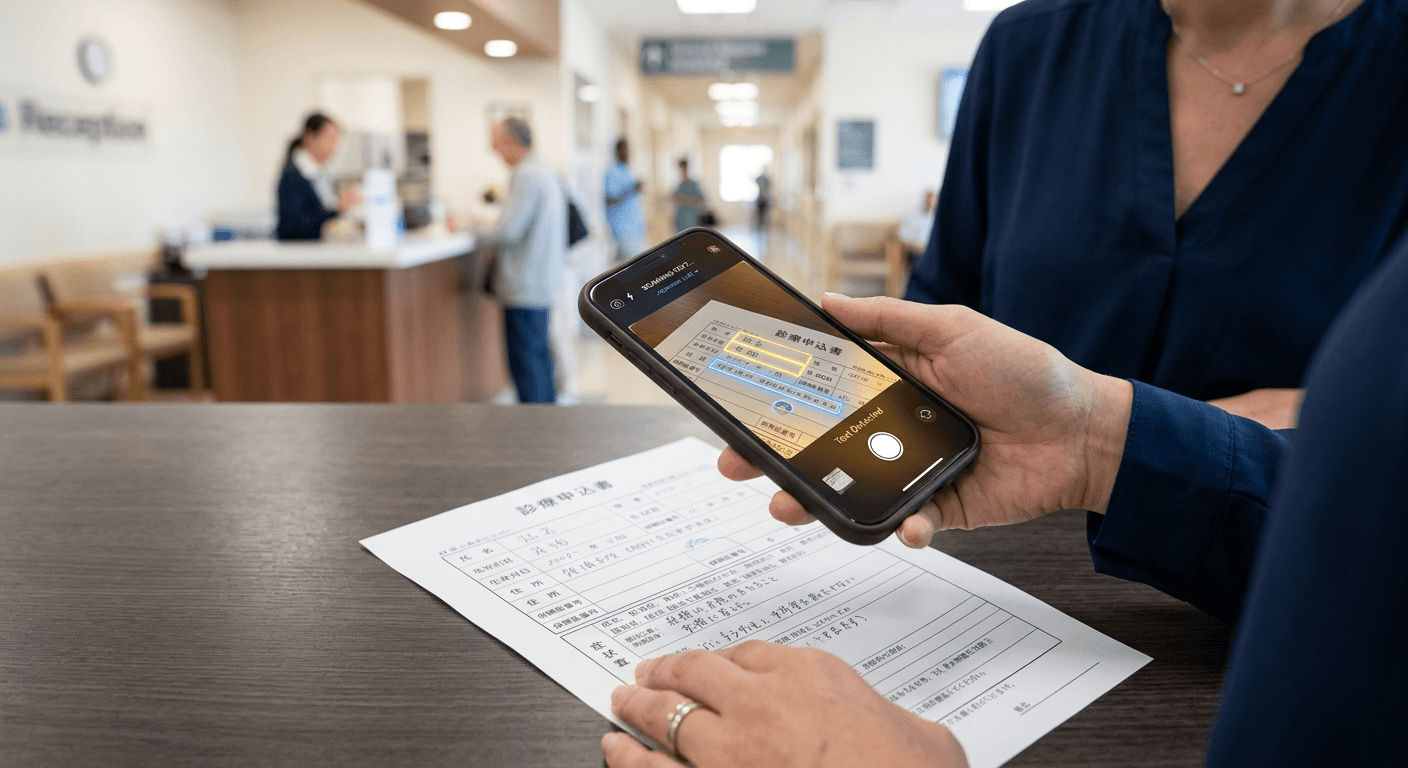
You are standing at the reception desk of a regional hospital in Tokyo, holding a three-page medical intake form printed entirely in kanji. The receptionist does not speak English, you do not have time to learn a new language, and the blank fields demand immediate answers before a clinician will see you. When you reach for your phone to run a translation picture online, you are relying on optical character recognition (OCR) and machine translation to bridge an immediate gap. While these consumer tools can extract text from street signs or simple cafe menus, deploying them on complex, high-stakes printed documents requires specific physical preparation of the paper and a clear understanding of where the algorithmic software will inevitably fail.
Quick Summary
Using image-based translation software involves capturing a physical document with a camera, running it through an optical character recognition engine, and passing that extracted text to a machine translation matrix. This process provides immediate, rough comprehension for low-stakes environments but routinely mistranslates nuanced, formatted, or technical printed materials.
- Ensure flat lighting and perpendicular camera angles to prevent text warping.
- Clean the lens and flatten the document; software cannot parse shadows or glare.
- OCR breaks down entirely when reading multi-column layouts or handwritten annotations.
- Automated outputs lack cultural context and fail completely on medical or legal forms.
- High-stakes scenarios require verified human interpreters rather than algorithmic guessing.
Table of Contents
- Why algorithms strip context from printed documents
- 1. Flatten the document to eliminate shadow and glare
- 2. Align the camera to capture a language translator image
- 3. Review the extracted text for optical failures
- 4. Process the verified text through the conversion matrix
- 5. Know when to abandon software for human context
- Where multi-column layouts destroy automated syntax
- Common Pitfalls & Troubleshooting
- FAQ
- Recommended Reads
Why algorithms strip context from printed documents
Before translation can occur, the physical ink on a page must be digitised. The OCR engine operates much like a free binary translator, taking raw input data - in this case, pixels of contrasting light and dark - and parsing it into a completely different format before it even attempts to read the words. It searches for hard edges and familiar geometric patterns that match a known character set.
This system relies entirely on contrast and predictable formatting. When an algorithm scans a piece of paper, it does not understand paragraphs, bullet points, or the hierarchy of a medical form. It only recognises strings of characters bounded by white space. If the paper is folded, casting a shadow across a sentence, the contrast threshold drops, and the software registers a blank space instead of a word. When the extracted text is subsequently fed into a translation matrix, the missing word fundamentally alters the syntax of the entire sentence, resulting in a translation that is not merely clunky, but factually incorrect.
1. Flatten the document to eliminate shadow and glare
The physical condition of the printed document dictates the accuracy of the final translation. OCR engines rely on high-contrast edges to separate individual letters from the background page. Wrinkles, folds, and creases create micro-shadows that algorithms consistently misinterpret as ink or punctuation marks.
The mechanical issue occurs at the camera sensor level. When a user holds a glossy piece of paper near a light source, the surface reflects the bulb directly into the lens. This blows out the exposure, creating a white hotspot that obliterates the black ink beneath it. The software encounters a void where the text should be.
The mistake users invariably make is attempting to scan documents while holding them in mid-air in a brightly lit room. They angle the paper to avoid their own shadow, inadvertently catching the glare of an overhead light. You must place the document flat on a dark, matte surface. Smooth out all creases with the edge of your hand to ensure the paper sits flush against the table.
2. Align the camera to capture a language translator image
Perspective distortion - known technically as keystoning - destroys the algorithmic bounding boxes that OCR tools use to isolate words. For the software to correctly identify character height and spacing, the camera lens must be exactly parallel to the surface of the page.
When you capture a language translator image at a 45-degree angle, the text furthest from the lens occupies significantly fewer pixels on the camera sensor than the text at the bottom of the page. The OCR engine struggles with this scaling disparity. It expects a uniform font size across a single paragraph; when the letters physically taper off into the distance, the system misreads them as superscript, entirely different characters, or ignores them as background noise.
The common failure here is framing. Users tilt their phones forward to keep their hand's shadow off the text. This solves the lighting issue but introduces fatal keystoning. The engine receives a warped image, attempts to square it mathematically, and mangles the character recognition in the process.
Practical rule: Always move the light source or the document itself to eliminate shadows, never tilt the camera angle away from a parallel, flat alignment.
3. Review the extracted text for optical failures
Image translation is a two-step mechanical process: extraction and conversion. Before the software translates anything, it converts the physical pixels into raw text strings. This intermediate extraction layer is where the majority of fatal errors occur, yet it is the step almost every user ignores.
OCR systems are highly susceptible to parsing errors based on font choices. A serif font printed on slightly textured paper frequently causes the system to bridge the gap between letters. A lowercase 'r' and 'n' physically printed too close together ('rn') will be extracted as a lowercase 'm'. A lowercase 'l' will be read as a numeral '1'.
The mistake is skipping straight to the translated output without checking the source extraction. If you are scanning a pharmaceutical label and the engine misreads a dosage of '10ml' as '100ml', the translation engine will confidently present the incorrect, highly dangerous number in your native language. You must manually review the extracted text overlay against the physical ink on the page before initiating the translation step.
4. Process the verified text through the conversion matrix
Once you have a clean string of digitised text, you feed it into a translation matrix. The engine maps the syntax of the source language against its neural dictionary to output a corresponding string in your target language. You might be using a simple web interface to translate English to Latvian online for free, or deploying a heavier enterprise matrix on a corporate tablet.
However, these neural networks are heavily dependent on their training data. Applications designed primarily to help tourists order coffee or help students learn Russian free often lack the vast, specialised neural dictionaries required to accurately process legal or medical terminology. They rely on literal, word-for-word substitution rather than contextual mapping.
The fatal user error here is treating machine translation as definitive rather than directional. A software engine will automatically strip out all formatting from the original image. If you scan a two-column legal contract, the system will often read straight across the gutter, merging a sentence from the left column with an unrelated sentence from the right column. The resulting translated paragraph is a structural hallucination that destroys the clause entirely.
5. Know when to abandon software for human context
Algorithms translate words; they do not interpret meaning, tone, or cultural urgency. In a hospital, a police station, or a courtroom, a mistranslated liability waiver or consent form carries severe, irreversible consequences. Software cannot verify that the user has understood the nuance of the text; it only verifies that the text has been replaced.
The most dangerous mistake a user can make is relying on a consumer camera app for high-stakes scenarios instead of securing verified bilingual assistance. A printed diagnosis that translates literally into "bad blood" could mean anything from an infection to a genetic disorder, depending entirely on local idioms. This is the exact moment you must transition from automated text tools to the language people you engage through secure interpreting platforms.
Connecting with certified professional interpreters via the LINGUA FRANCA HUB ensures that critical nuances are not lost to algorithmic guesswork. For less formal but equally confusing situations - like navigating a foreign municipal office to register a visa - engaging casual language buddies provides the real-time, culturally aware comprehension that no OCR engine can replicate.
Where multi-column layouts destroy automated syntax
Printed forms rarely use a single, unbroken block of text. Invoices, medical intakes, and government declarations utilise complex layouts featuring sidebars, nested checkboxes, and multiple columns to organise information efficiently on a single page.
Image translation engines fundamentally process images sequentially from the top-left to the bottom-right of the frame. When confronted with a three-column brochure, the algorithm does not recognise the vertical dividing lines. It reads the first line of column one, continues reading straight across the whitespace into the first line of column two, and finishes on the first line of column three. It strings these disjointed fragments together into a single, nonsensical sentence and feeds it to the translation matrix.
The translation engine, lacking any awareness of the physical layout, attempts to force grammatical logic onto this frankenstein string. The output reads as fluent gibberish. The only way to force an algorithm to respect a columnar layout is to physically fold the paper or tightly crop the digital image capture so that only one column is visible to the lens at a time, forcing a linear read.
Common Pitfalls & Troubleshooting
When an image translation fails, the error usually originates in the physical capture rather than the translation dictionary. Identifying the visual symptom allows you to apply the correct mechanical fix.
Symptom: The translated text reads as fluent gibberish, combining sentences from completely different paragraphs. Diagnosis: The OCR engine has failed to recognise the document's layout, reading straight across column dividers or sidebars. Fix: This is the most common cause of complete translation failure on official forms. You must crop the image capture bounding box on your screen to isolate a single column of text before running the translation layer, forcing the engine to read linearly down the page.
Symptom: Entire lines of text are simply missing from the translated screen overlay, leaving blank gaps. Diagnosis: Low-contrast font washout. The camera has overexposed the image, turning grey text or thin fonts into white space. Fix: Manually tap the screen to focus on the text, and drag the exposure slider down by a third of a stop to darken the image slightly before capturing. This forces the black ink to stand out against the white paper.
Symptom: The system successfully translates the printed boilerplate form but leaves all filled-in handwriting as blank spaces or outputs random punctuation. Diagnosis: Handwritten annotation rejection. OCR engines trained exclusively on typography cannot parse cursive, inconsistent sizing, or joined letters. Fix: Algorithms cannot reliably read human handwriting. You must manually type the handwritten notes into a text translation field, or escalate the entire document to a human interpreter who can read the script.
FAQ
Why does the translated text overlay jump around on the screen? When you use a live-camera translation mode, the software continuously recaptures and re-evaluates the image multiple times a second. Tiny movements in your hand change the perspective and lighting, causing the OCR engine to recalculate the bounding boxes and swap translations rapidly. Take a static photo of the document instead of relying on the live viewfinder.
Can image translation tools read medical documents accurately? No. While they can provide a rough idea of what a document is about, automated tools frequently misread dosages, merge unrelated columns, and fail to translate idiomatic medical terminology accurately. High-stakes medical documents should always be reviewed with a human interpreter.
Do I need an internet connection to process an image translation? It depends on the software. Some applications allow you to download offline language packs, which perform basic dictionary substitutions locally on your device. However, highly accurate neural machine translation requires connecting to remote servers to process complex syntax, which requires an active internet connection.
How does the software handle right-to-left languages in images? Modern OCR engines detect the character set (such as Arabic or Hebrew) and automatically reverse their reading direction. However, if a document contains a mix of left-to-right (English numerals) and right-to-left text, the engine frequently jumbles the word order. You must isolate specific paragraphs rather than scanning the whole page at once.